> ## Documentation Index
> Fetch the complete documentation index at: https://factory-apigettingstarted.mintlify.site/llms.txt
> Use this file to discover all available pages before exploring further.
# Getting Started
> Authenticate with the Factory Public API and make your first request.
The Factory Public API exposes the same primitives that power the Droid CLI and Factory App: computers, sessions, and organization configuration. Use it to provision Droid environments, drive sessions programmatically, and manage org-level resources from your own systems.
***
## Authentication
All requests require a Factory API key in the `Authorization` header:
```bash theme={null}
Authorization: Bearer fk-your-api-key
```
### Generate an API key
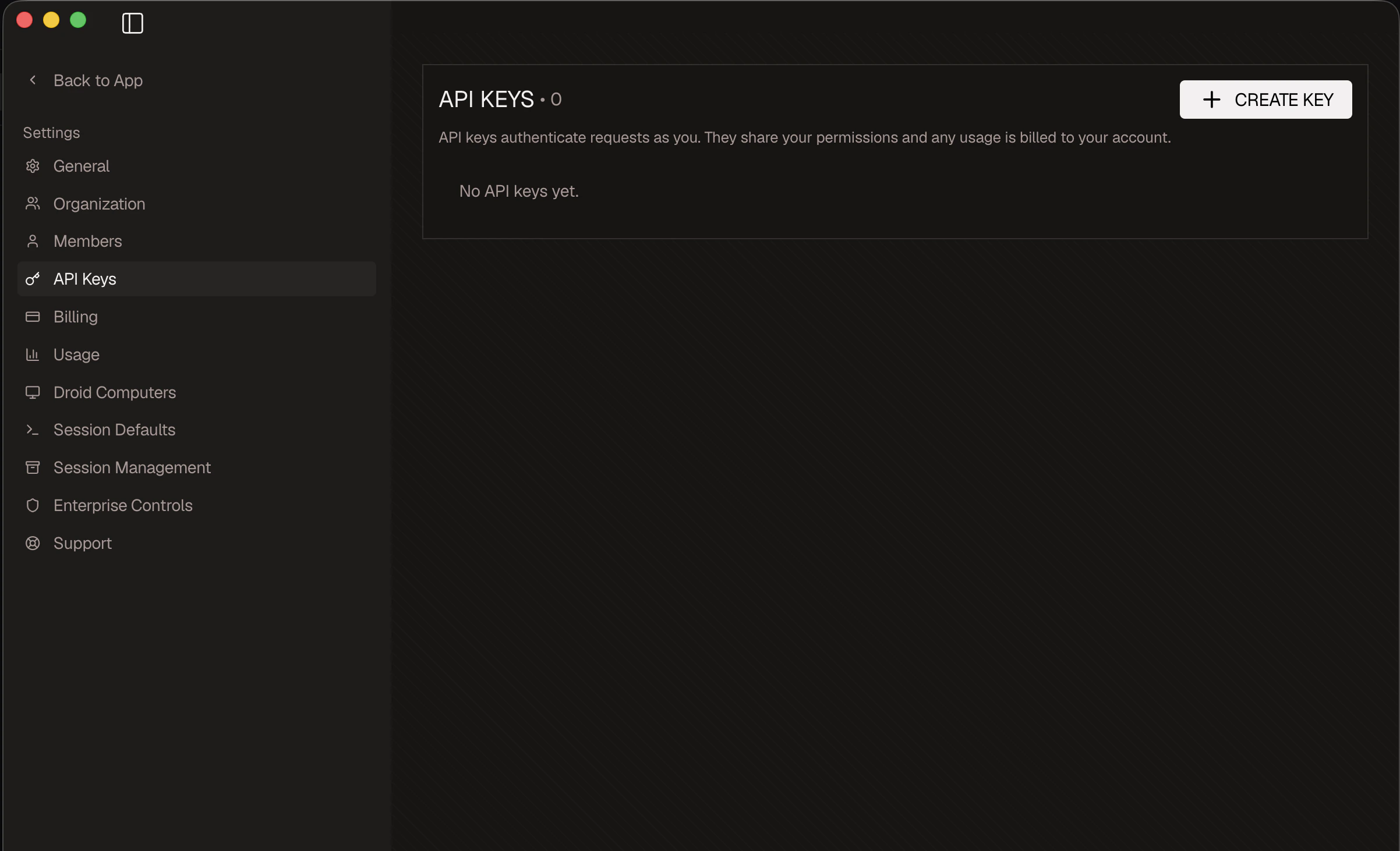
1. Sign in to the Factory App at app.factory.ai.
2. Open app.factory.ai/settings/api-keys.
3. Click **Create API key**, give it a descriptive name, and copy the value (it begins with `fk-`).
The key is shown once. Store it in a secrets manager or environment variable. Treat it like a password: do not commit it to source control or paste it into shared logs.
```bash theme={null}
export FACTORY_API_KEY="fk-your-api-key"
```
 ### Permissions
Only users with **Manager** or **Owner** roles can create API keys and call the Public API. Members and guests will receive a `403 Forbidden` response.
API keys inherit the role of the user who created them. Revoke keys from [app.factory.ai/settings/api-keys](https://app.factory.ai/settings/api-keys) when team members change roles or leave the organization.
***
## Available Endpoints
The Public API is grouped into three resource families:
| Group | Description |
| :------------- | :-------------------------------------------------------------------------- |
| `Computers` | Provision, list, restart, and delete persistent Droid computer environments |
| `Sessions` | Create sessions, post messages, and inspect session history |
| `Organization` | Manage org users, usage limits, and enterprise control history |
Browse the endpoint reference under each group in the left sidebar.
***
## Next Steps
See existing Droid computer environments in your organization
Drive a Droid programmatically from your own systems
Invite, remove, and configure org members for admin workflows
### Permissions
Only users with **Manager** or **Owner** roles can create API keys and call the Public API. Members and guests will receive a `403 Forbidden` response.
API keys inherit the role of the user who created them. Revoke keys from [app.factory.ai/settings/api-keys](https://app.factory.ai/settings/api-keys) when team members change roles or leave the organization.
***
## Available Endpoints
The Public API is grouped into three resource families:
| Group | Description |
| :------------- | :-------------------------------------------------------------------------- |
| `Computers` | Provision, list, restart, and delete persistent Droid computer environments |
| `Sessions` | Create sessions, post messages, and inspect session history |
| `Organization` | Manage org users, usage limits, and enterprise control history |
Browse the endpoint reference under each group in the left sidebar.
***
## Next Steps
See existing Droid computer environments in your organization
Drive a Droid programmatically from your own systems
Invite, remove, and configure org members for admin workflows